![tns_logo (1).png]](https://support.tchatnsign.com/hs-fs/hubfs/tns_logo%20(1).png?width=40&height=40&name=tns_logo%20(1).png)
Reading time: ⏱️ 2 min
When you send a message to a client in a secure conversation, the system waits a set period before sending an email reminder. This delay gives them time to read your message before being notified by email.
1. Open settings
Click on the gear icon in the top right corner of your screen, then on Settings.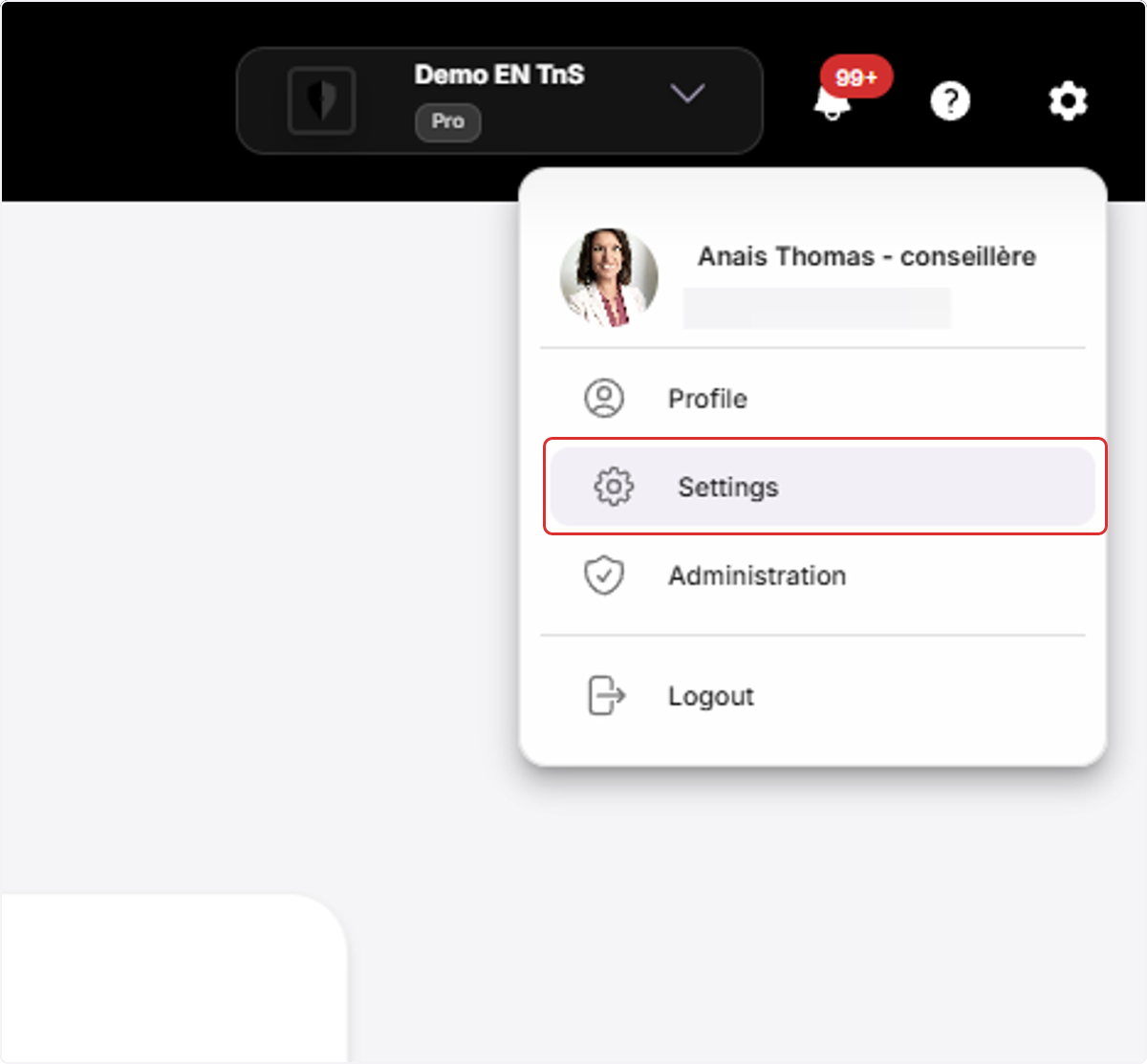
2. Access team configuration
Click on Team Management, then on Team Configuration.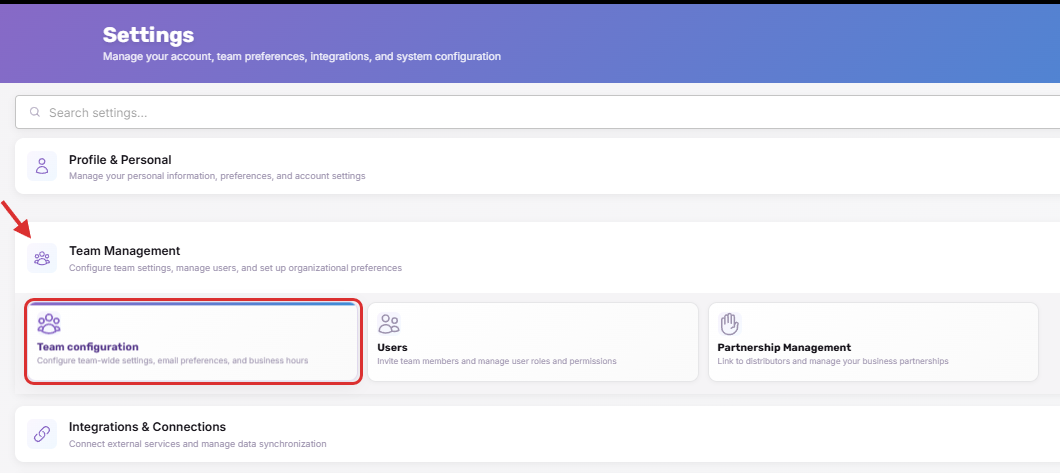
3. Change the delay
Click on the dropdown arrow to choose how long the system waits before sending your client an email notification about a new message.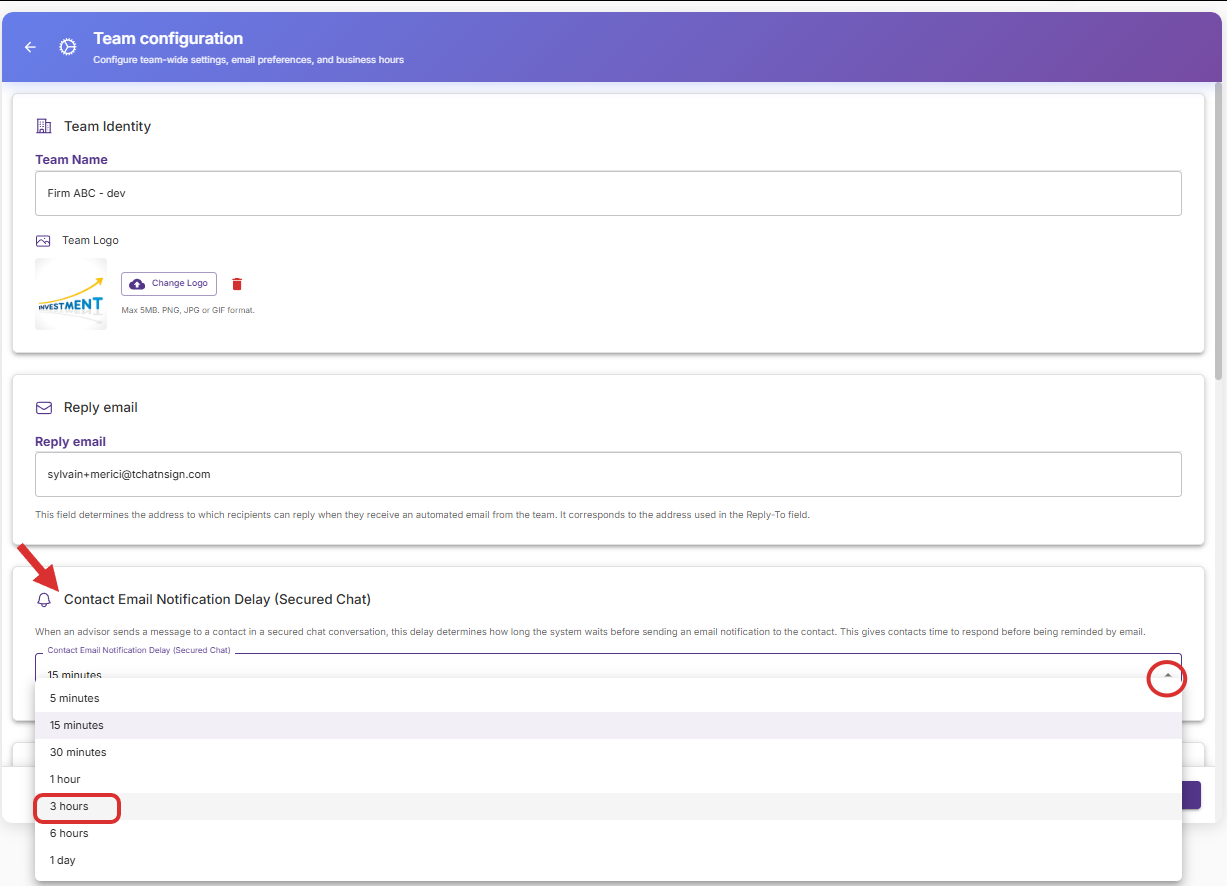
4. Save your changes
Click on Save in the bottom right corner of your screen.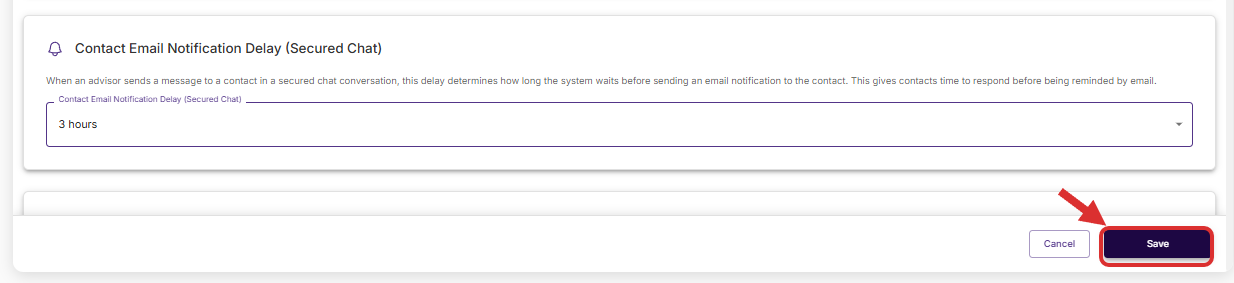
5. Test your changes
➢ Start a secure conversation with yourself as the client.
➢ Verify that you receive the reminder email after the selected delay.