![tns_logo (1).png]](https://support.tchatnsign.com/hs-fs/hubfs/tns_logo%20(1).png?width=40&height=40&name=tns_logo%20(1).png)
Reading time : 2 min ⏱️
You just sent a signature request and want to verify that your client received it? Each status tells you exactly where your email is.
Check email status
1. Access settings
Click on the gear icon in the top right corner of your screen, then on Settings.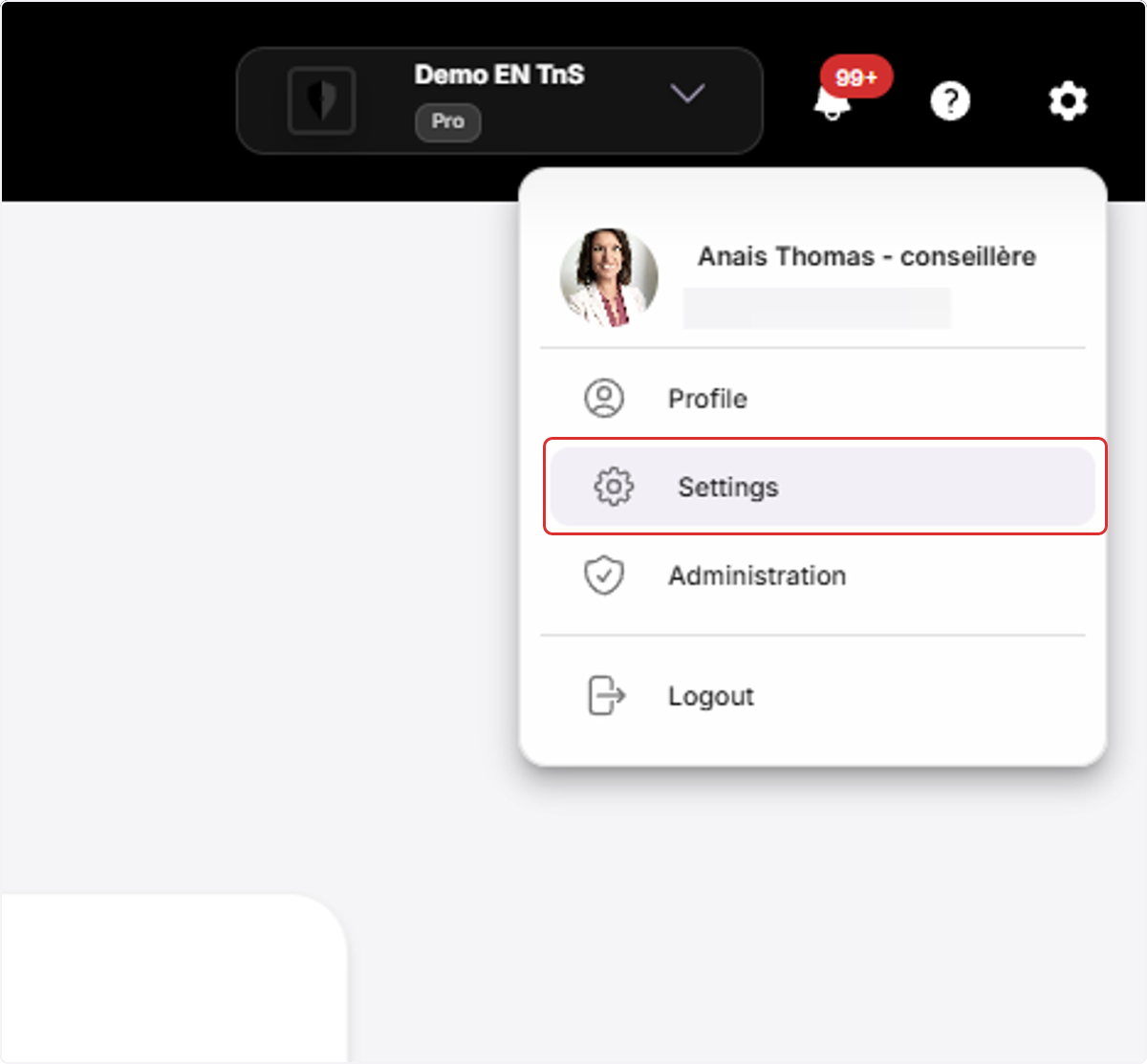
2. Access email status
Click on 🔒 Security & Privacy then ✉️ Email Status.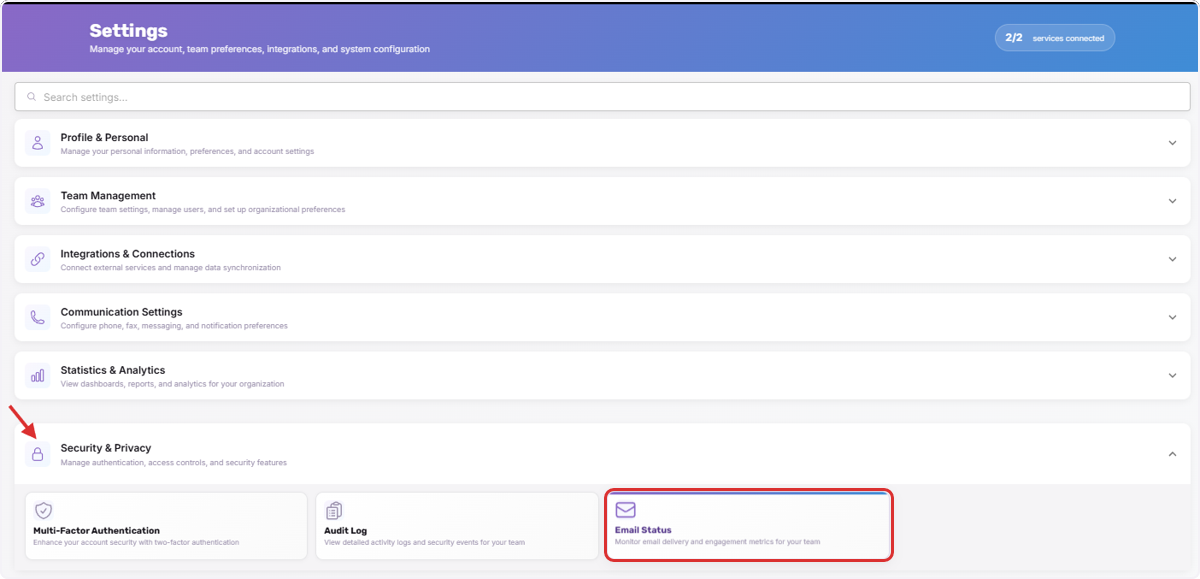
3. View status
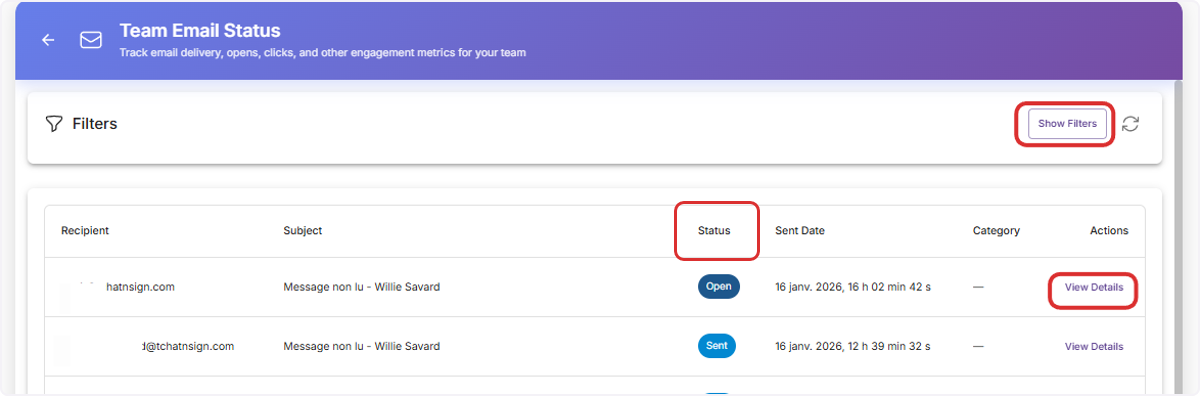
Several options are available to you:
-
- Status: shows you the last action related to the email
- Filter sends based on status and send date
- View details of the email status, meaning the timeline of all statuses for this email
The 8 status
Submission
Your email is being sent. It's in the queue and will be transmitted in a few seconds.
Sent
Your email successfully arrived in your client's inbox. Delivery is confirmed.
Opened
Your client opened and viewed your email. They saw your message.
Clicked
Your client clicked on a link in the email (document to sign, form, etc.). Excellent engagement.
Attempt Failed
Delivery failed temporarily (full inbox, unavailable server). The system will automatically retry.
Rejected
The email cannot be delivered. The address is invalid, no longer exists, or the server permanently blocks the send.
Unsubscribed
Your client clicked "Unsubscribe". They no longer want to receive your marketing communications.
Complaint
Your client marked your email as "spam" or "junk". This is the most problematic status.
What to do based on status?
If "Rejected" or "Attempt Failed" for 24h+
➢ Verify the email address with your client and correct it in their file
➢ Duplicate your signature request and resend it to your client
If "Complaint"
➢ Explain to your client that this email is legitimate and that you need to be able to send them this type of email to process their transaction
➢ Make it a habit to warn your client that they will receive this type of automated message from you before sending your signature request