![tns_logo (1).png]](https://support.tchatnsign.com/hs-fs/hubfs/tns_logo%20(1).png?width=40&height=40&name=tns_logo%20(1).png)
1. Open settings
Click on the gear icon in the top right corner of your screen, then on Settings.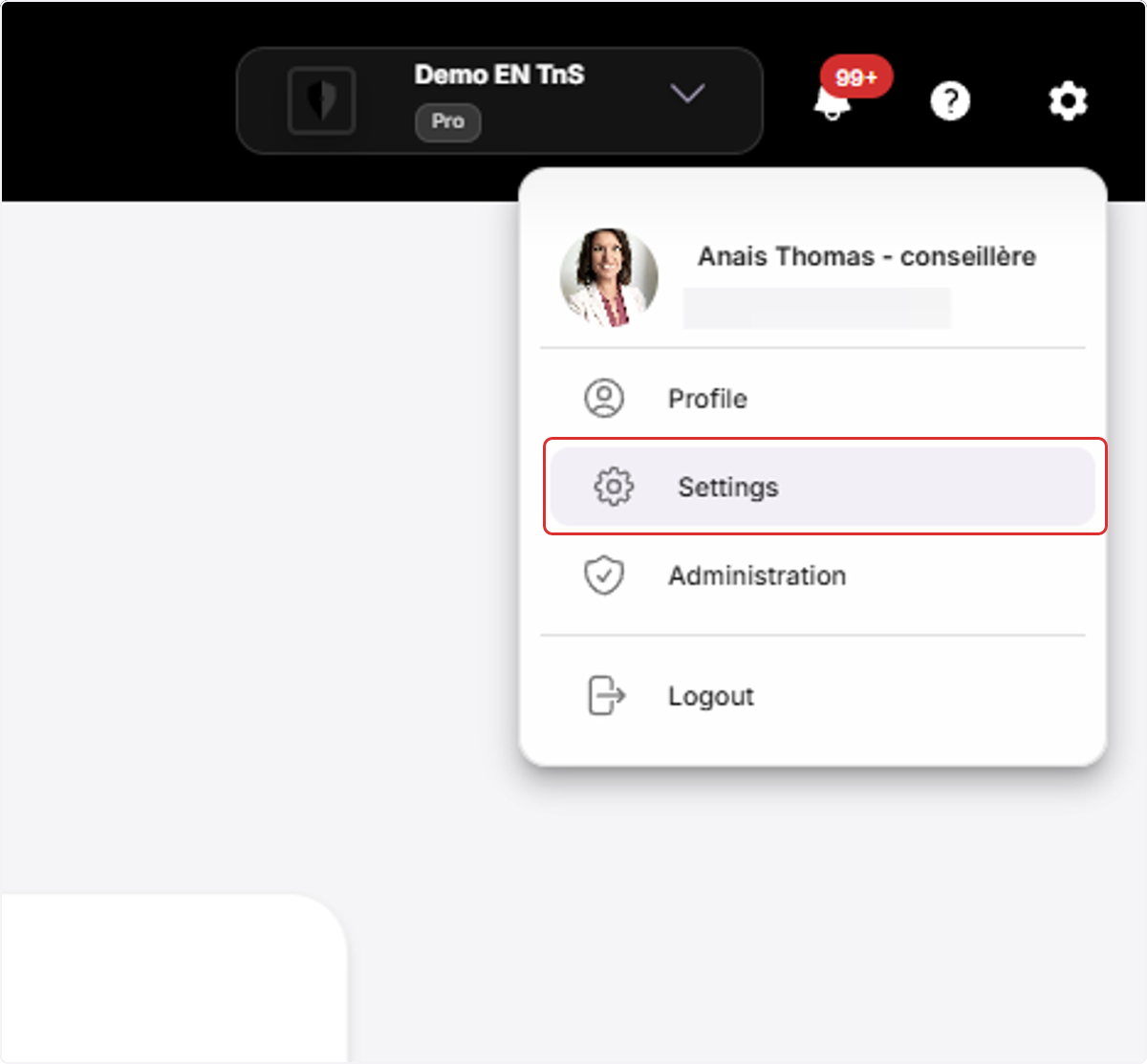
2. Access team configuration
Click on Team Management, then on Users.
The list of all team members and their permissions appears.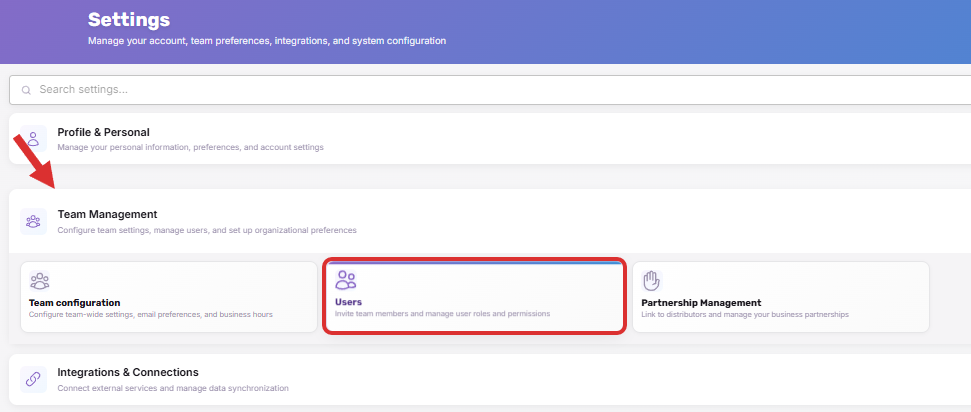
3. Invite a new user
Click on Invite a user.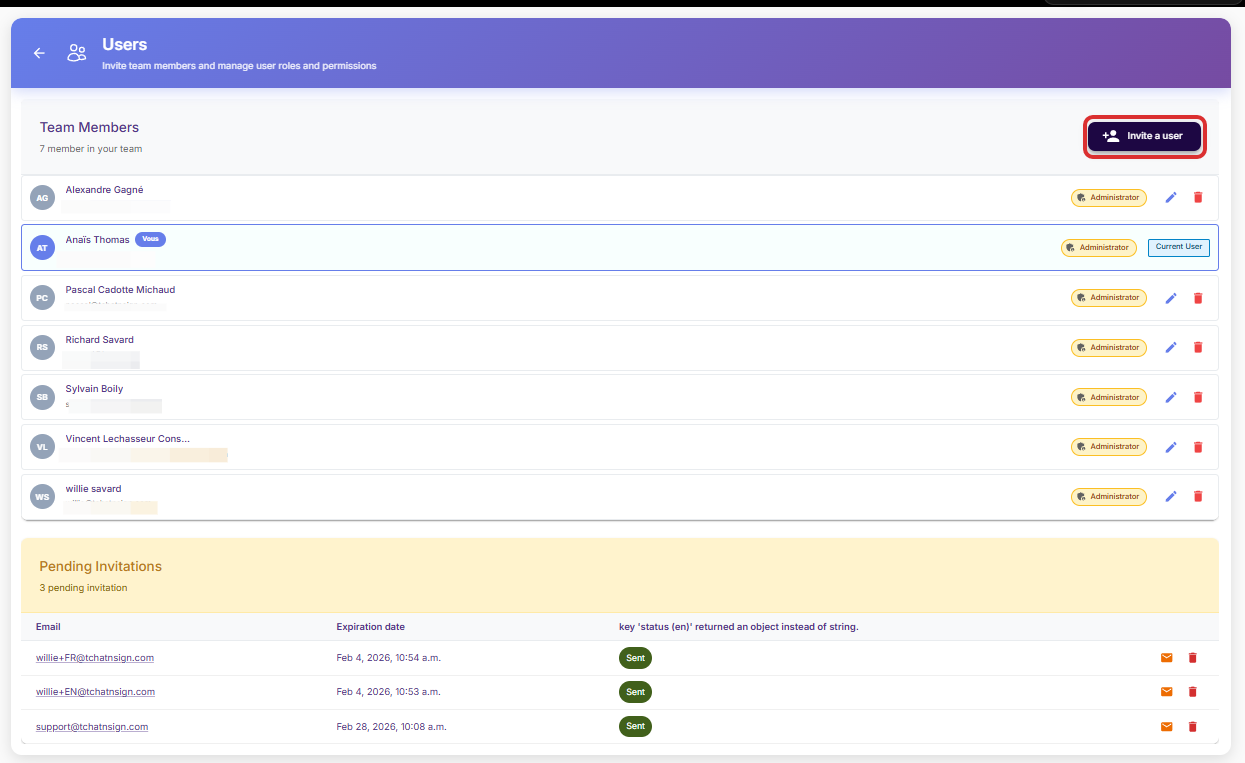
4. Enter the information
Enter your colleague's email address.
Click on Administrator to give them full access (optional).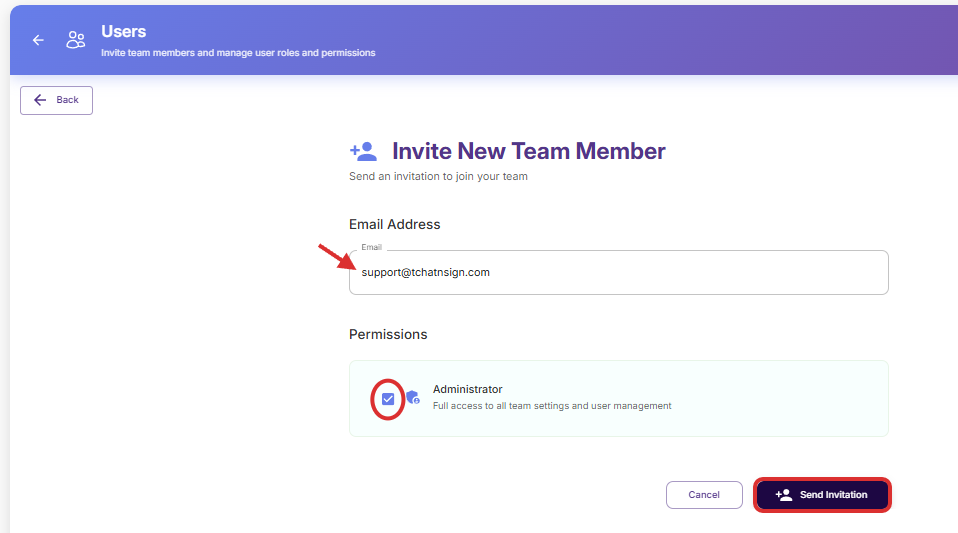
Click on Send invitation.
An invitation will be sent within the next few minutes to the email address provided. The person can then complete their profile information and connect to your team.
If your colleague does not receive the email within the next few minutes, ask them to check their spam folder.
Important notes
➢ Adding a user may result in additional charges and increase your subscription.
➢ Your user will be able to view all contacts in the Equisoft account.
➢ In Equisoft, make sure your new user has access to your contacts so they can archive correctly.